Accounts stay separate
Each account has its own browser profile. The fingerprint, cookies and login stay there, and are not carried into the next account.
Fingerprint · Cookies · Login
Create a separate profile for every account on one computer. Fingerprints, cookies, cache and proxies stay apart, so accounts do not share a session. CoveBrowser is free.
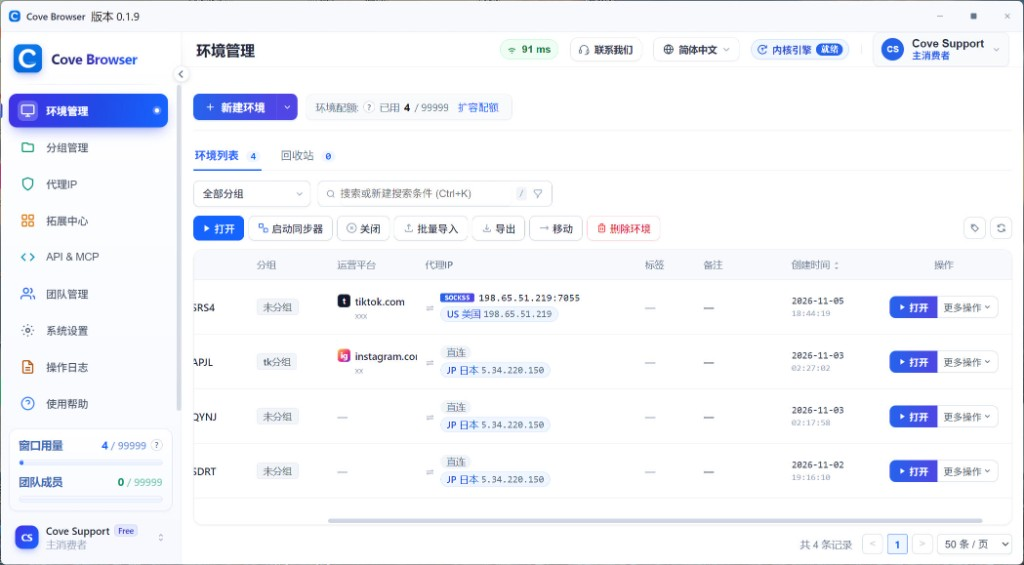
✓Fingerprint checks 100% passed
Fingerprint, BrowserScan, Device and Browser Info, Scraping Course and Sannysoft are widely used public detection pages. CoveBrowser reads the same way on all five: fingerprint checks passed 100%, the profile is seen as a real browser and a human visit, and WebDriver, CDP and other automation signals stay clear.
Fingerprint
Fingerprint Playground
1 / 5
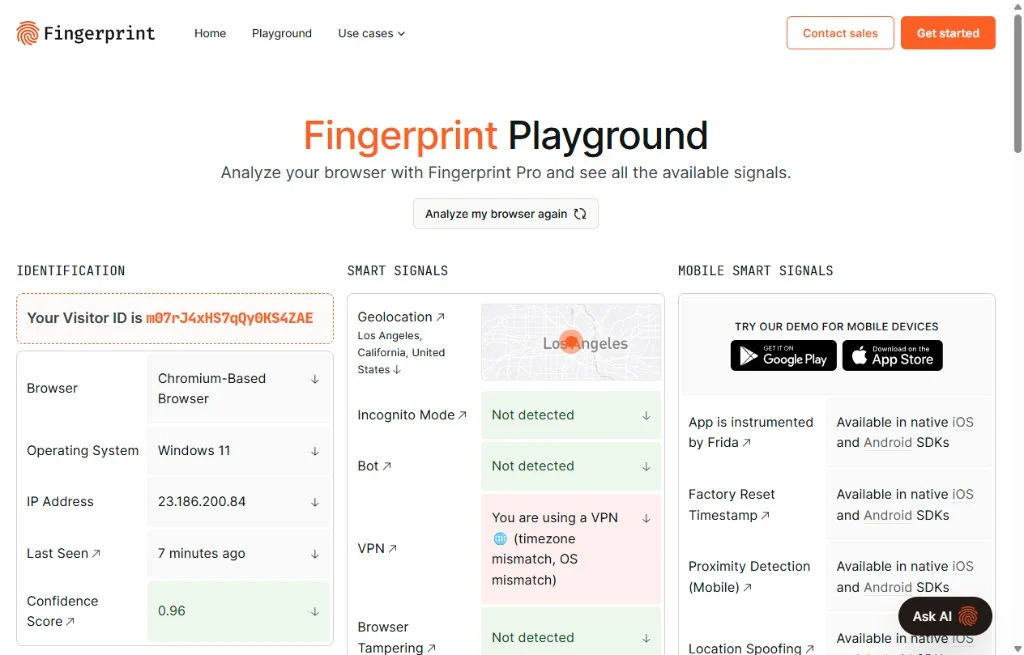
The public page reads the browser, operating system and visitor ID.
CoveBrowser isolates each account in its own profile, so you do not need a separate device for every login.
Each account has its own browser profile. The fingerprint, cookies and login stay there, and are not carried into the next account.
Fingerprint · Cookies · Login
Profiles can stay open together. You do not log out and back in to switch. Repeated checks, posts and warm-up steps can run in a batch.
Open together · Run in a batch
Manage the accounts on the computer you already have. The software is free, so the budget stays on the work.
One computer · Free to use
Fingerprint isolation, proxy binding, batch actions and team access all sit in one browser.
Advantage 01
¥0
Free, for good
Download and use it. No feature wall and no profile quota.
Advantage 02
Every module, open in one click
Fingerprint, proxy, automation, window sync and team access are all on together.
Each profile has its own fingerprint. Canvas, WebGL, audio and WebRTC can be set separately, so accounts are harder to tie to one device.
HTTP, HTTPS, SOCKS5 and SSH. Attach a proxy you already have so the login and the profile use the same network.
Store, social and ad accounts sit in one list and open in their own profiles.
Repeat browsing, search and posting as a batch instead of doing each account by hand.
One action is mirrored to several windows for warm-up, posting and daily checks.
Start a chosen profile from your own script. Assign profiles by role and keep a record of actions.
One workspace for social, ads and affiliate work, with clear isolation and permissions.
CoveBrowser
Passwords and cookies are encrypted on the computer. They are not uploaded unless you allow it. Open a profile to a teammate by role when you need to.
LOCAL ONLY
Stays on this computer
Encrypted locally. It does not leave this computer unless you allow it.
Cookies
Login state, encrypted
Fingerprint
Profile values stay local
Proxy credentials
Account and password stay put
Cookies, fingerprint settings and proxy credentials stay encrypted in the local profile.
Cookies · Fingerprint · Proxy
Browsing data and credentials are not synced to an external server unless you explicitly allow it.
Local first · Sync only if allowed
Assign profiles by member and role. Critical settings stay separate, and actions are recorded.
By role · Action log
Free to start, simple to run, securely isolated — built for multi-store operations.
Fingerprint profiles and multi-account tools are free. Individuals can start immediately.
Start freeNo complex setup. Profiles, proxies and accounts stay in one workspace.
CentralizedIsolated fingerprints, network separation and permission control reduce linking risk.
PermissionedStraight answers about profiles, proxies and daily use.
CoveBrowser is a free download for Windows and macOS.