Plan and window quota
See the current plan, used windows and team size.
Updated
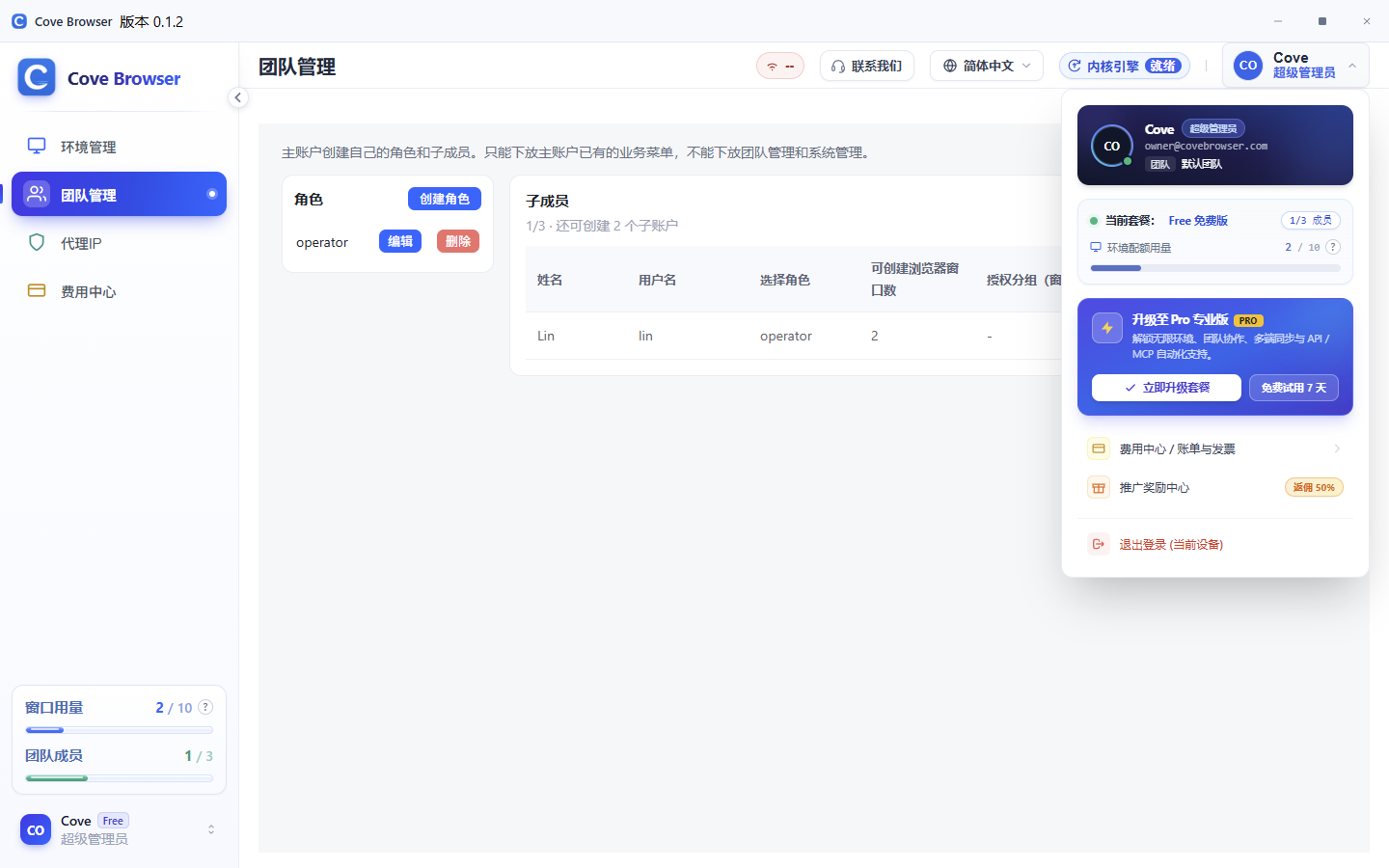
Where usage is shown
The avatar menu shows the current plan, environment quota and team size. The same usage appears at the lower left.
What counts as a used window
Used windows include profiles you created, the recycle bin, and windows already assigned to sub-accounts.
Billing and rewards
Billing shows the plan and invoices. Rewards is for invitation commission. When the window allowance is already high, those two entries hide together with the upgrade card. The usage numbers stay visible.
When the limit is reached
When the window count reaches the plan limit, upgrade the plan or delete unused profiles before creating more.