Set a proxy
Each profile can use its own proxy, or connect directly.
Updated
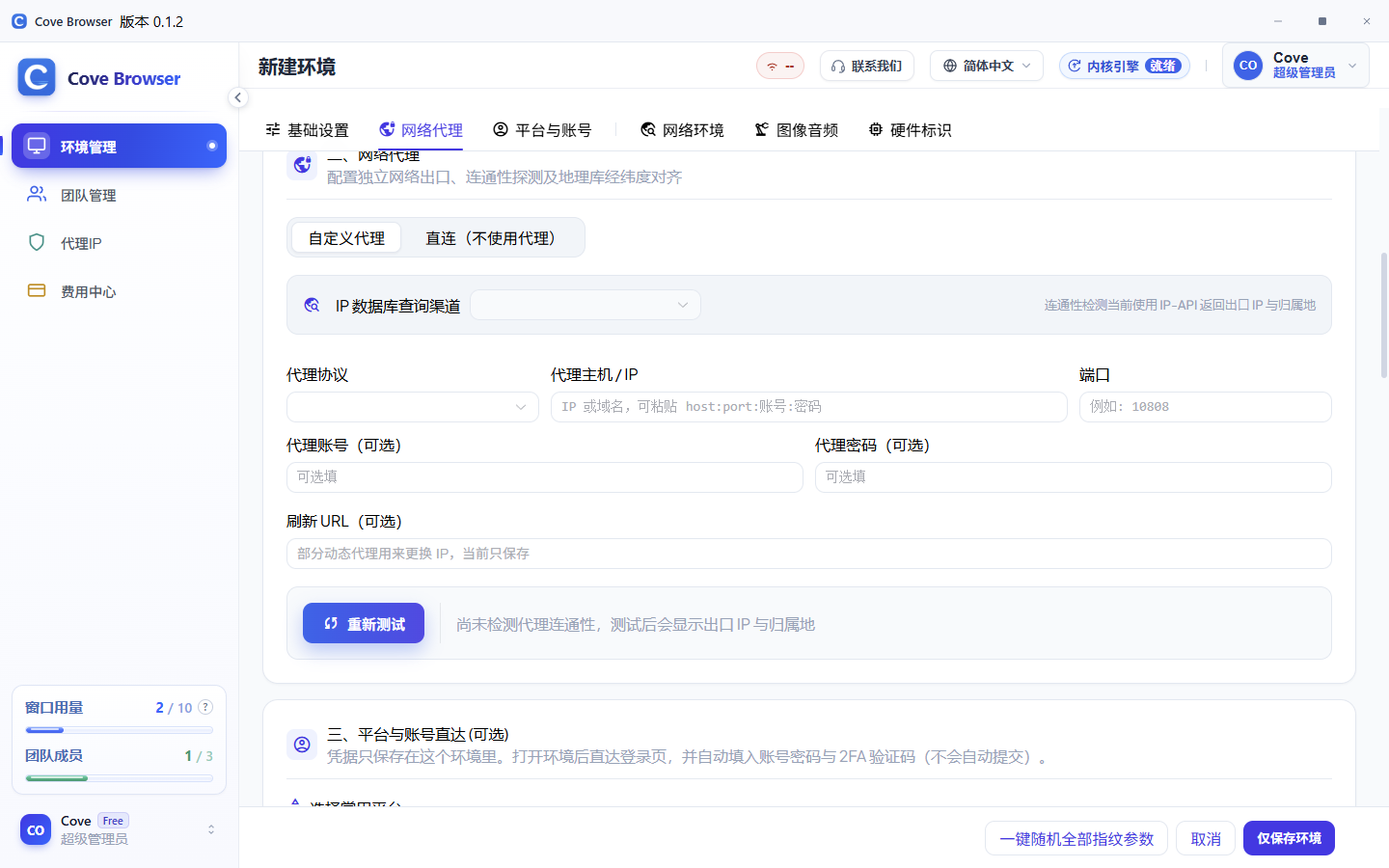
Choose a protocol
Open the profile editor and switch to a custom proxy. HTTP, HTTPS and SOCKS5 are supported. Choose a direct connection when no proxy is needed.
Host and port
Enter the host and port. If the proxy needs an account, enter the username and password too. The host field also accepts host:port:username:password.
Test before saving
Use Retest. A successful test shows the exit IP and country. If it fails, check the host, port and account before saving.
Where providers are listed
The Proxy IPs page lists recommended proxy providers. The proxy service is provided by third parties. Judge it yourself and follow local laws.